WebODM Progress Indicators & Scaling for 3k+ Mavic 3 Images

JWX

Hey everyone, looking to talk out my current setup because I feel like I know less now than when I started. πŸ˜…

Over the years I've used Pix4D and Agisoft Photoscan, but recently some friends asked me to help configure an ODM setup to process about 3,200 images from a DJI Mavic 3.

I initially tried running it via command line (with some help from Claude Code), but my old system just couldn't handle it. I've since upgraded my rig to:

  • CPU: i7-12700
  • RAM: 48 GB
  • GPU: RTX 5070

I've been running WebODM on this new setup with some success, but I've noticed that trying to track where I am in the process or getting any sort of ETA seems basically non-existent.

Is that just how WebODM is, or is there a configuration or setting I'm missing to get a better progress indicator? I'm also just looking to generally talk out this setup if anyone has experience running similar datasets!

28 Replies

LIL-Diabeetus

yeah for that many photos, that is not enough ram...

πŸ‘ 1
JWX OP

I've got another stick of 32 GB coming in, but that's as much as I can afford right now given the RAM prices. I am using split = 200 and overlap = 10. Our imagery overlap is 90%. I set the octree depth to 11 and mesh size to 600000 per the ODM best practices.

LIL-Diabeetus

you could reduce the settings and had harsher point removal to make sure you don't run out of ram. otherwise might not work. I think last time I ran that many I was over 120gb of ram with high settings.

JWX OP

Is there anything like "The Idiots Guide to WebODM"?

LIL-Diabeetus Best answer

haha I think @pierotofy did create a book, but otherwise for me it was just reading and learning from the docs and havnig AI help explain things I didn't fully get. @JWX if you need help processing something I'm sure I could help you out... I have 256gb of ram, not trying to sell anything just help out.

πŸ‘ 2
szymoon

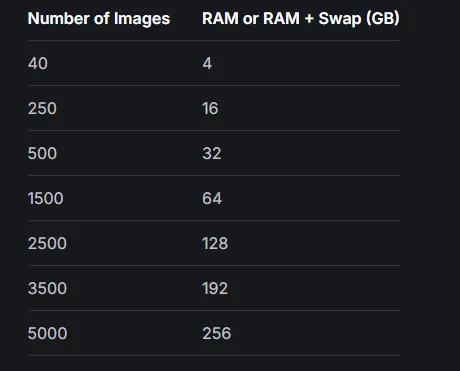
I’ll hop in to the topic… total beginner in webodm here - how do you think, how much ram should i have to process around 6500 photos? 🫣

LIL-Diabeetus

@szymoon @JWX Here is the hardware requirements from the ODX docs

πŸ‘ 2
JWX OP

Is ther ea link to that book? I tried to get Claude Code to help me explain stuff... it was wildly wrong so I think I'm done with that guy lol. That was so frustrating.

JWX OP

Thank you!

❀️ 1
JWX OP

That's really useful too. I like that there's a simple calibration tool too.

JWX OP

Well, the 5070 is really paying off with the depth maps. Those were massive and slow before.

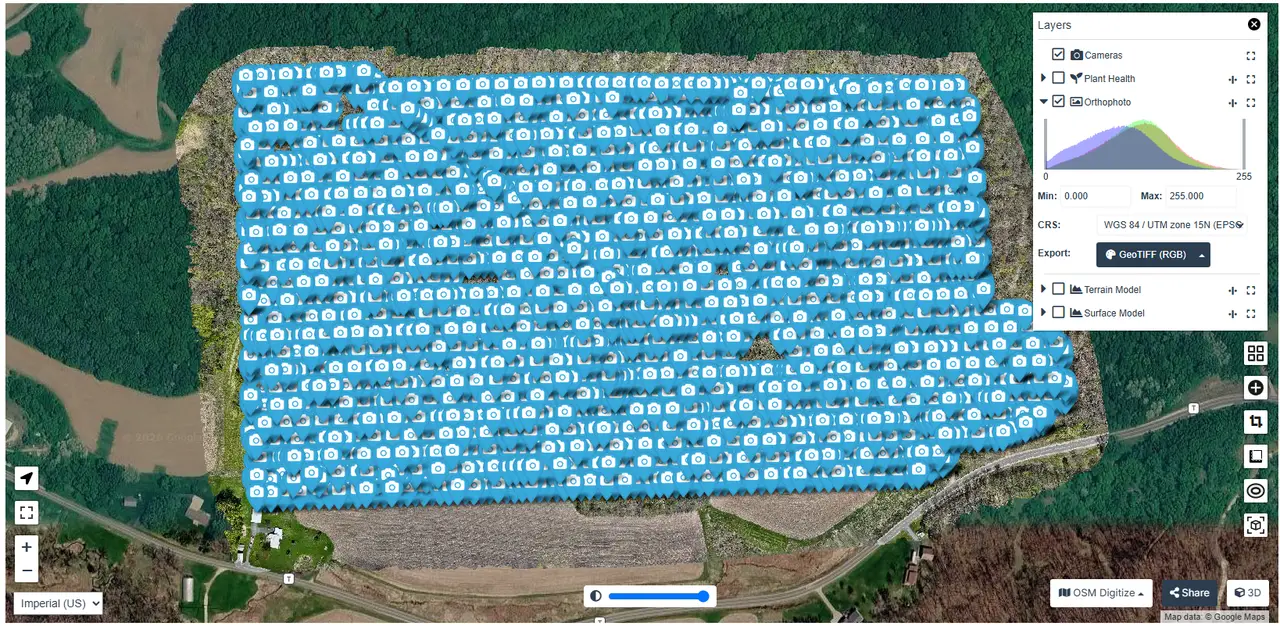
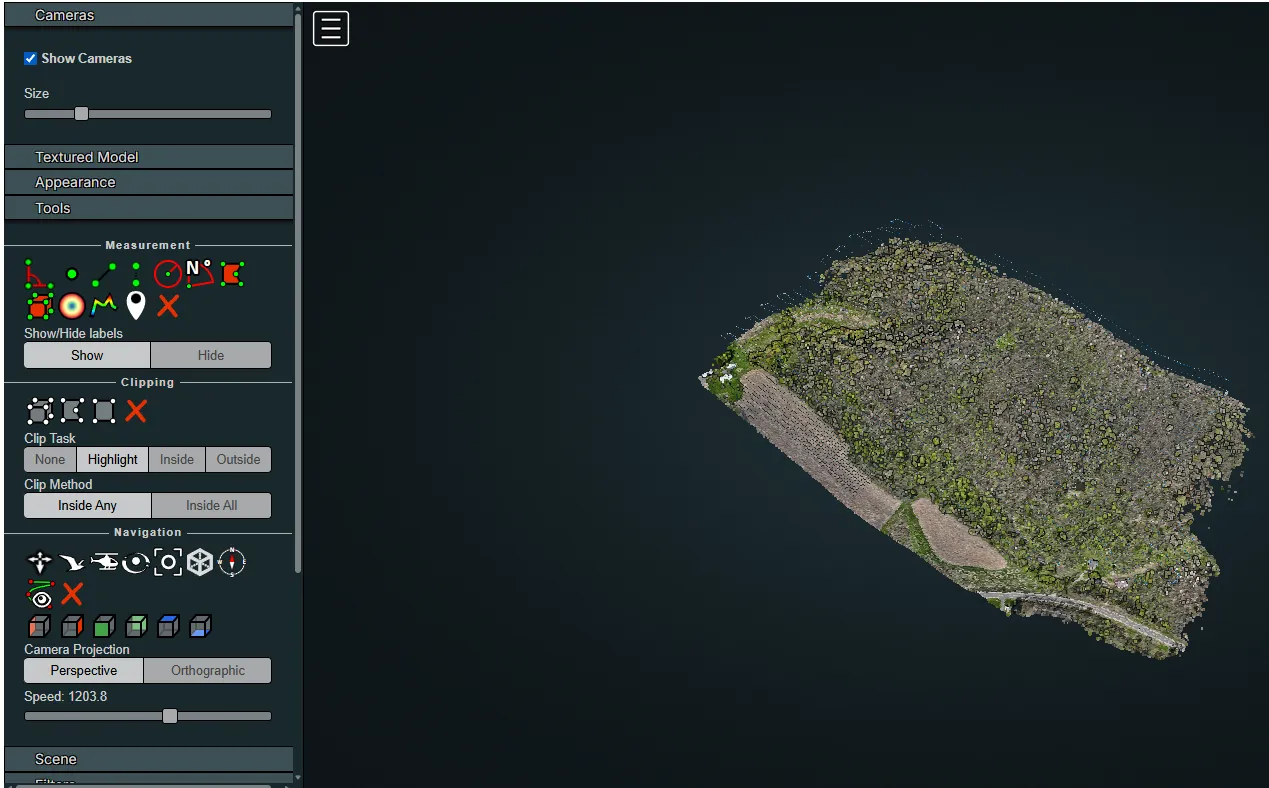
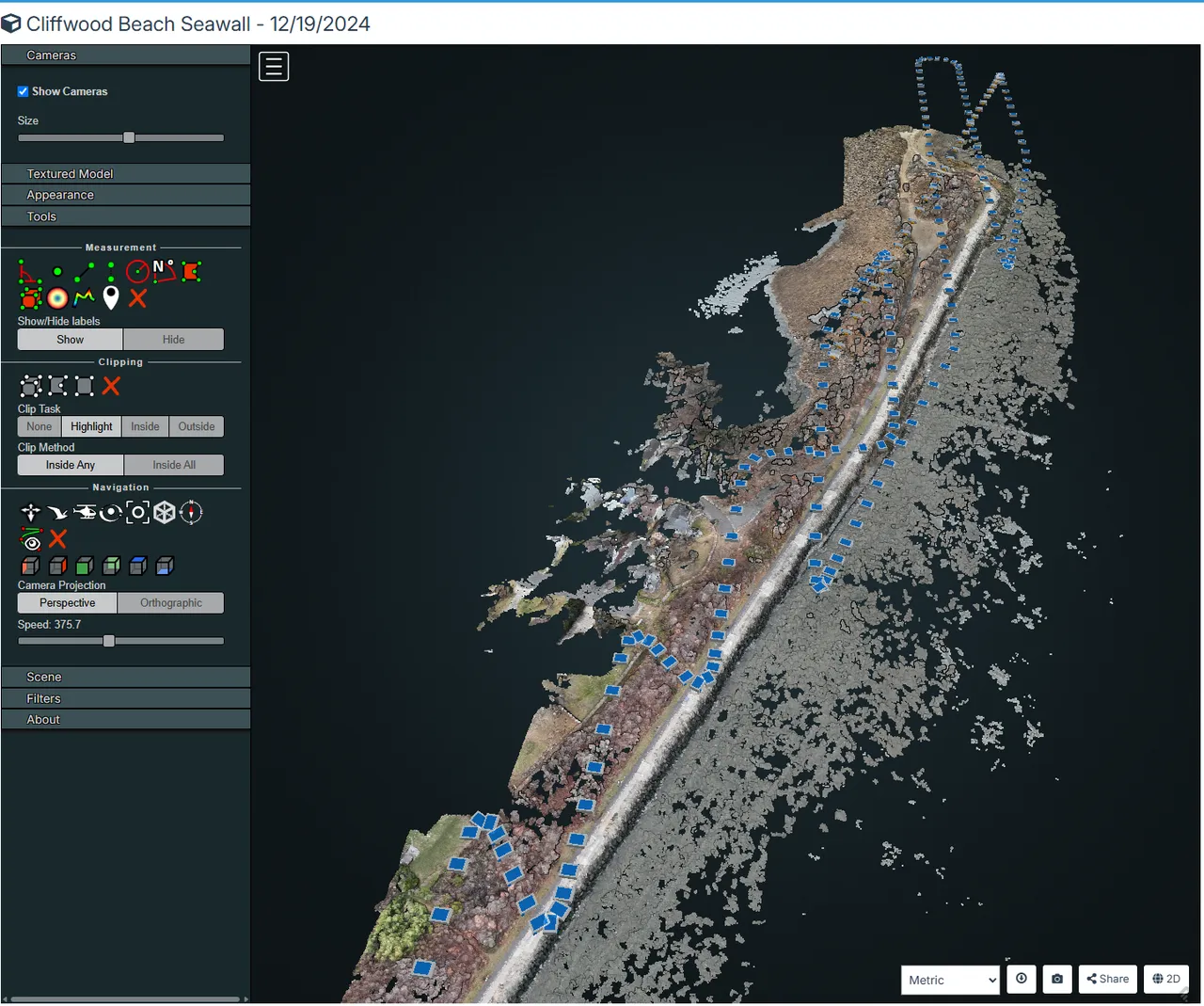
Is there a way to get WebODM to have more of a GUI to show cameras, points, footprints, etc.? I'm thinking that would be helpful for figuring out why I saw some odd smearing in one part of the model. I'm afraid I'll have to send out the drone guy again.

LIL-Diabeetus

what are you running to render? are you just running the processing node or the whole stack for viewing? can you send a screenshot please?

JWX OP

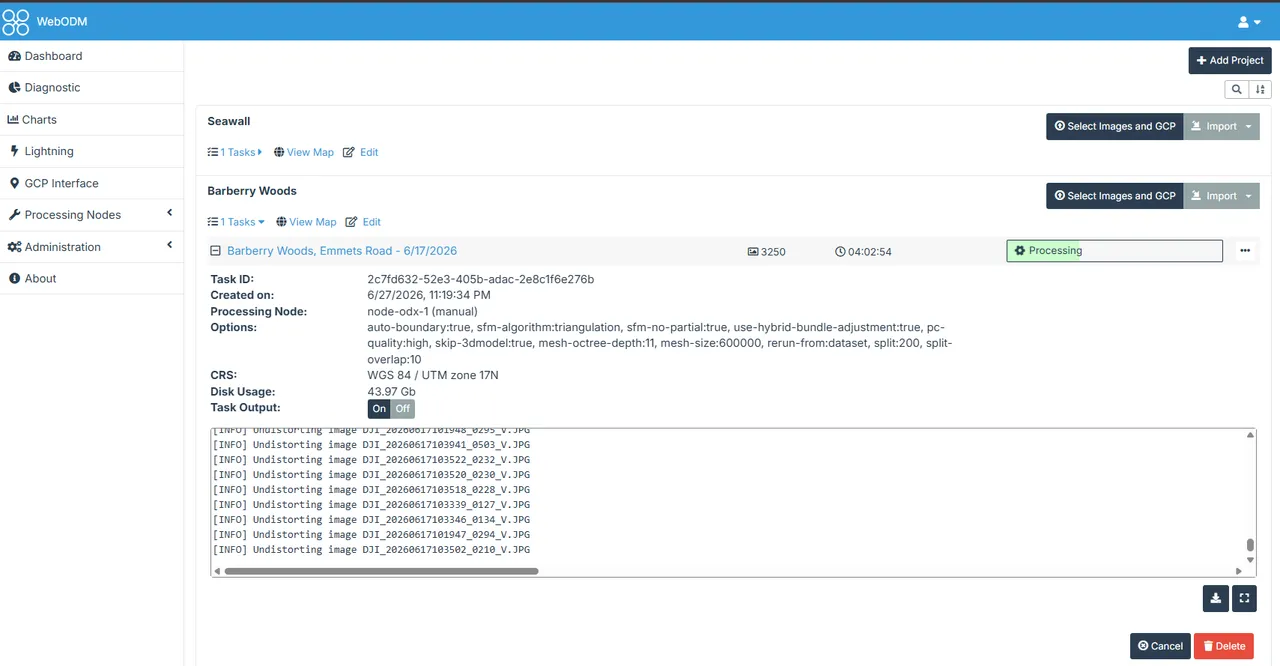
Yeah! Here is what I have. I'm still pretty new to Docker and nodes. I've been learning a little bit of that through this project which is kinda helping me at my day job.

JWX OP

Also, that is deployed locally.

❀️ 1
LIL-Diabeetus

you can view camera positions in once the render is complete in the 2D and 3D views.

πŸ‘ 1
LIL-Diabeetus

Top right for maps, top left for models

πŸ‘ 1
JWX OP

Thanks! @LIL-Diabeetus

❀️ 1
LIL-Diabeetus

No problem!

JWX OP

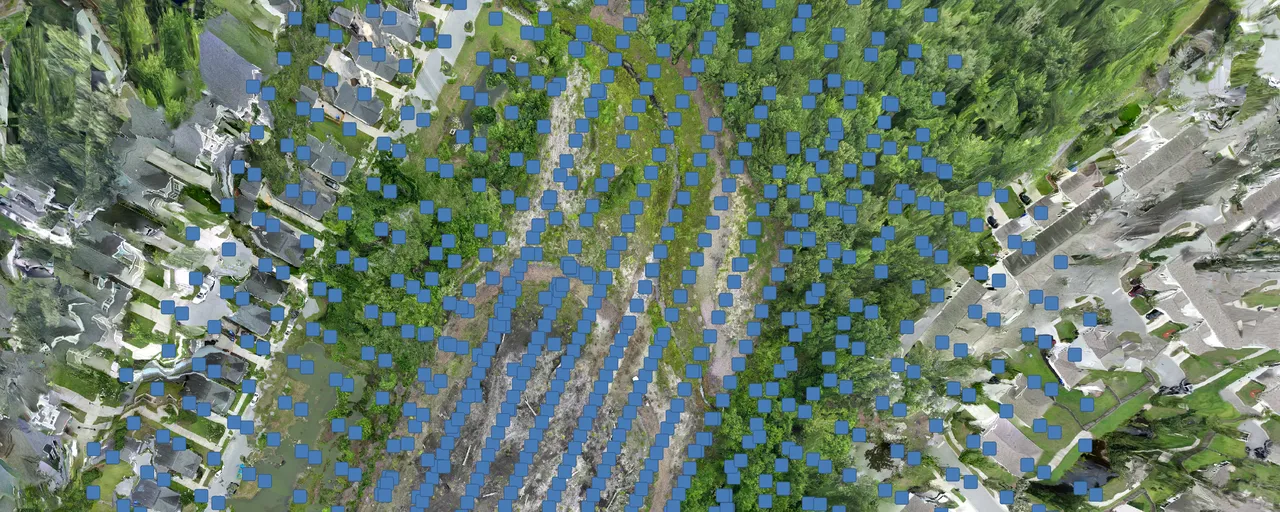
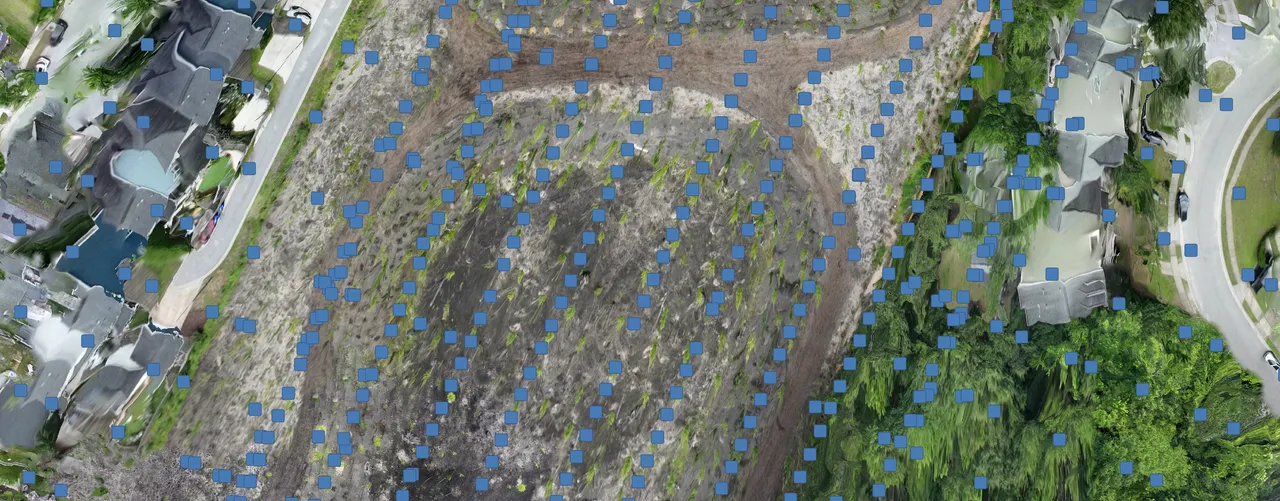
I'm getting some horrible solutions.

My parameters were:

  • auto-boundary:true
  • sfm-algorithm:triangulation
  • sfm-no-partial:true
  • use-hybrid-bundle-adjustment:true
  • pc-quality:high
  • skip-3dmodel:true
  • mesh-octree-depth:11
  • mesh-size:600000
  • rerun-from:dataset
  • split:200
  • split-overlap:10
LIL-Diabeetus

@JWX I am out of the office right now, but I can give you some presets that I think would work good for you. If you give me a few hours I should be back. First things to try is changing:

  • pc-quality to medium (less dense pointcloud, better for lower ram)
  • pc-filter: 2
  • orthophoto-resolution:2

everything else seems to look good though for settings at a glance

πŸ‘ 1
JWX OP

@LIL-Diabeetus I can wait awhile. Thanks for getting back to me. I'm just not sure why I'm getting those blury parts when it seems like there are plenty of images over that area.

❀️ 1
LIL-Diabeetus

Also make the sfm-algorithm to incremental instead of triangulation

πŸ‘ 1
JWX OP

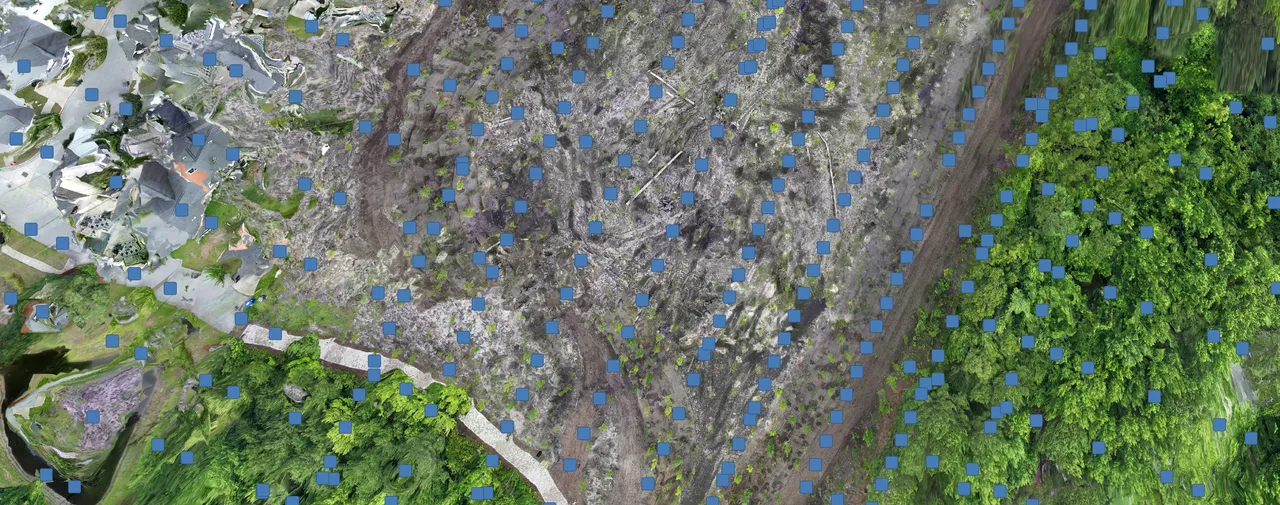
@LIL-Diabeetus, I think I found part of the problem. A bunch of photos were recorded at -45 and -135. I dropped anything not -90 and that cut the dataset to 582 images. I'm using most of your recommended settings. I missed the pc-filter:2.

JWX OP

@LIL-Diabeetus dude! It's awesome! 1.25 hours, 2 cm resolution.

JWX OP
πŸ‘ 2 πŸš€ 1

Need more help?

This discussion happened in the WebODM community Discord. Join and ask your own question.

Join View Original Thread

This page mirrors a public discussion from the WebODM Discord. How to request a removal.