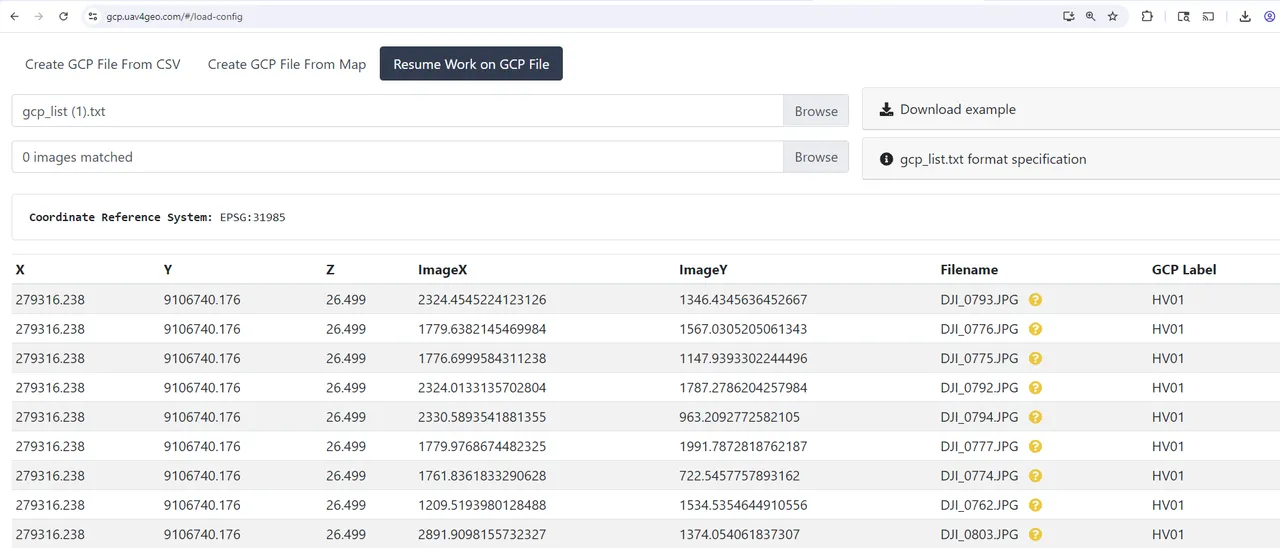
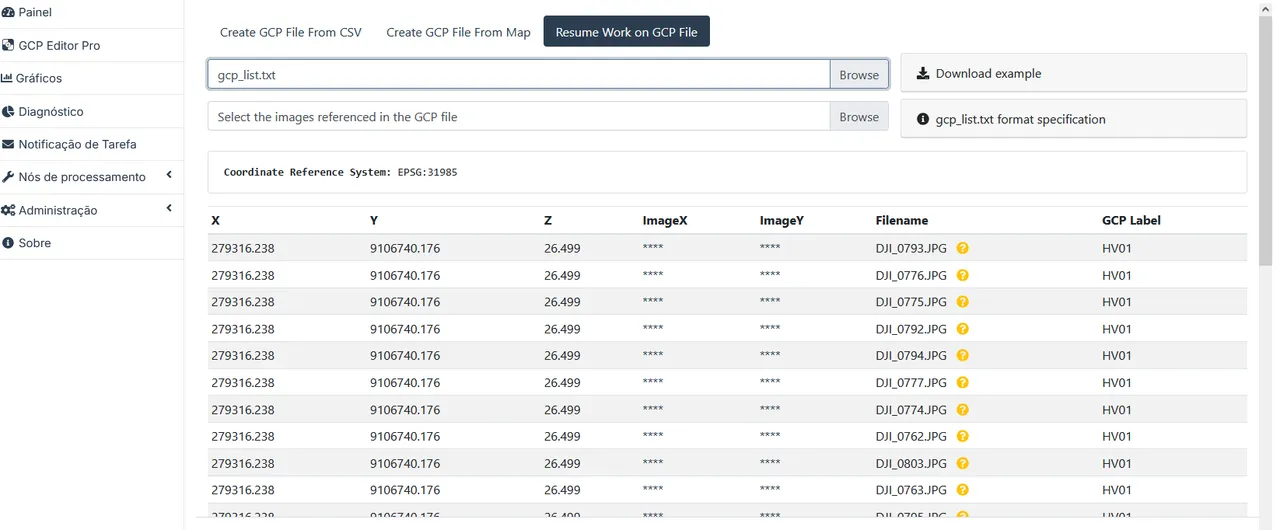
Problem with GCP Editor Pro in WebODM

BossInGameBR

I marked some points in the program, however when I go to the "continue work" tab and import the generated gcp_list.txt file, it gives an error. Attached are a screenshot and the generated file.
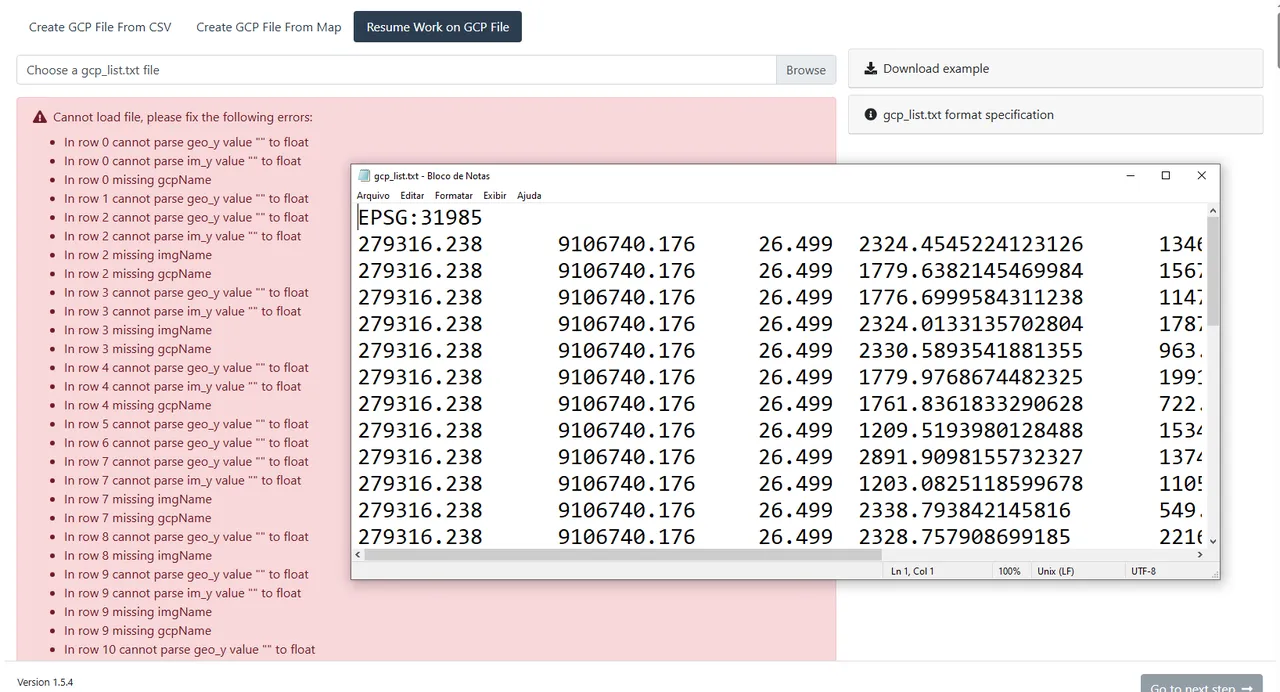
gcp_list.txt — view on Discord

26 Replies

pierotofy

strange, works fine on my browser:

💛 1
BossInGameBR OP

No, I'm using the plugin for WebODM

BossInGameBR OP

I'm even running this version of WebODM via Docker on Linux

pierotofy

mm, it's really strange, the file you sent opens fine both on WebODM (as a plugin) and via the web URL

pierotofy

on my machine at least (typical)

BossInGameBR OP

Yes, in fact, I will try to use it on another machine as soon as I get home and in another browser to try to eliminate any points of failure

pierotofy

The error messages indicates that there might be tabs/spaces that don't match up when you import the file

BossInGameBR OP

Which makes it weirder, because the file I imported is exactly the file I sent here on discord that you opened on your computer

pierotofy

try to open the file with visual studio code and verify that there are just tabs or spaces (but not both, or multiple tabs)

pierotofy

I'm also testing this with Chrome, not sure if it's a browser issue

BossInGameBR OP

I just confirmed by opening visual studio code that there are no spaces, so it shouldn't be a formatting error. However, I loaded it on an old Windows 7 notebook in Firefox and it loaded perfectly, strangely in Chrome and Brave in Ubuntu it is not working correctly.

BossInGameBR OP

Even while I'm talking to you about this program, I bought the pro license which entitles you to 5 users. However, when I access a new browser it asks for the activation key, which I believe counts as a new user? How do I unlink it so I don't end up counting redundantly?

BossInGameBR OP

In fact, now that I opened it using Firefox, I set it to access via the demo for fear that it would double count 2 users, as I am myself and not more than one person from my company😅

pierotofy

No worries, the license is per user, so if you own 5 devices, you can use the key on all 5 devices

pierotofy

it would count as 1

BossInGameBR OP

I understand, so the license is per WebODM user, correct? So if I put the activation key in my notebook's Firefox, it won't count as more than one license?

👍 1
pierotofy

On the Ubuntu machine, does it work if you access from an incognito tab? Sometimes certain extensions do some strange stuff

BossInGameBR OP

Perfect then, in my company there are 4 people so it will work out. I was afraid of double counting and was already thinking about restricting access exclusively to company computers to avoid double counting. Even if, for example, I delete a user and create another (for example, change employees considering that each employee has their own account), is the license automatically reassigned to another user as long as it does not exceed 5?

pierotofy Best answer

Yes, not to worry; it's not going to lock you out. 🙂

💛 1
BossInGameBR OP

Good thing, hahaha. He was already worried, it saved him the trouble with firewall rules to limit it to company computers

😄 1
BossInGameBR OP

😆

Need more help?

This discussion happened in the WebODM community Discord. Join and ask your own question.

Join View Original Thread

This page mirrors a public discussion from the WebODM Discord. How to request a removal.