Camera Calibration for Mavic 3 pro

sSeLeMaHs

I have some trouble with the analysis of a flight with a mavic 3 pro.
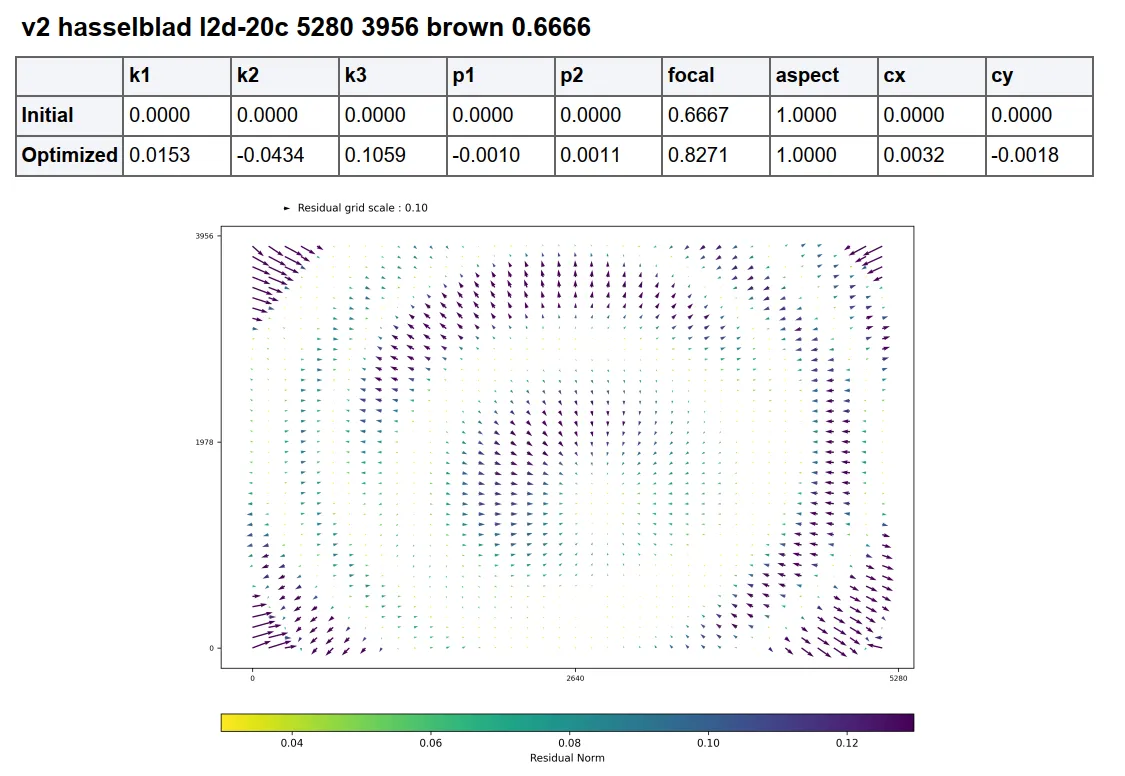
In the residual Plot there's always the shown pattern, wich should'nt be correct. The 3D Model shows heavy bowling, especially on larger areas.

I set rolling-shutter:true, the camera-lens is set to brown automatically (even if i change it in the settings, it is overwritten)

I think the DJI Software does some sort of undistortion by itself, wich you can not deactivate in the comsumer models.
In other photogrammetry projects i did (not with a drone) that was often the cause of wrong camera calibrations.

How can i fix this in WebODM?
5 Replies

pierotofy

See https://discord.com/channels/1490218202033029212/1561831937423843398 for a recent discussion on bowling. The residual plot shows you how the software is modeling the distortion, which is the correct behavior. If you can share the dataset it would help better understand if this is a problem with the software or a problem with the capture.

sSeLeMaHs OP

unfortunately i can't share the data for security reasons.
I learned, that the residual plot should never show any kind of pattern but has to be random across the board.
For the capture, we did pretty much everything the theory tells us to. We flew a Cross Pattern, one pattern in nadir, one pattern with a 15° angle and in a different height. we had a pretty good coverage with GCPs as well. In close range of the GCPs, the terrain height is calculated with good accuracy, but between the GCPs you clearly see the bowling, resulting in bad accuracy (up to 2 meters, tested against independent measurements)

It's not a unique problem with WebODM. In Metashape, we see pretty much the same results. I just wondered if you guys have any solution other than buying an enterprise drone 🙂

sSeLeMaHs OP

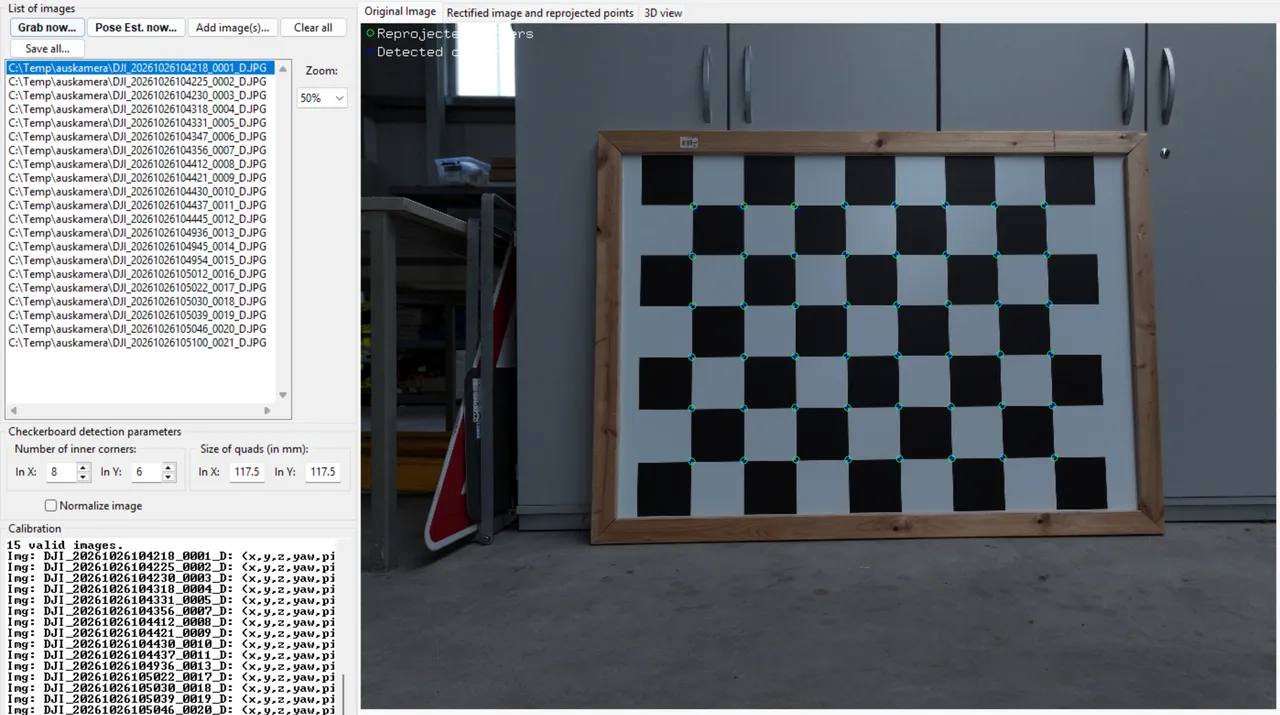
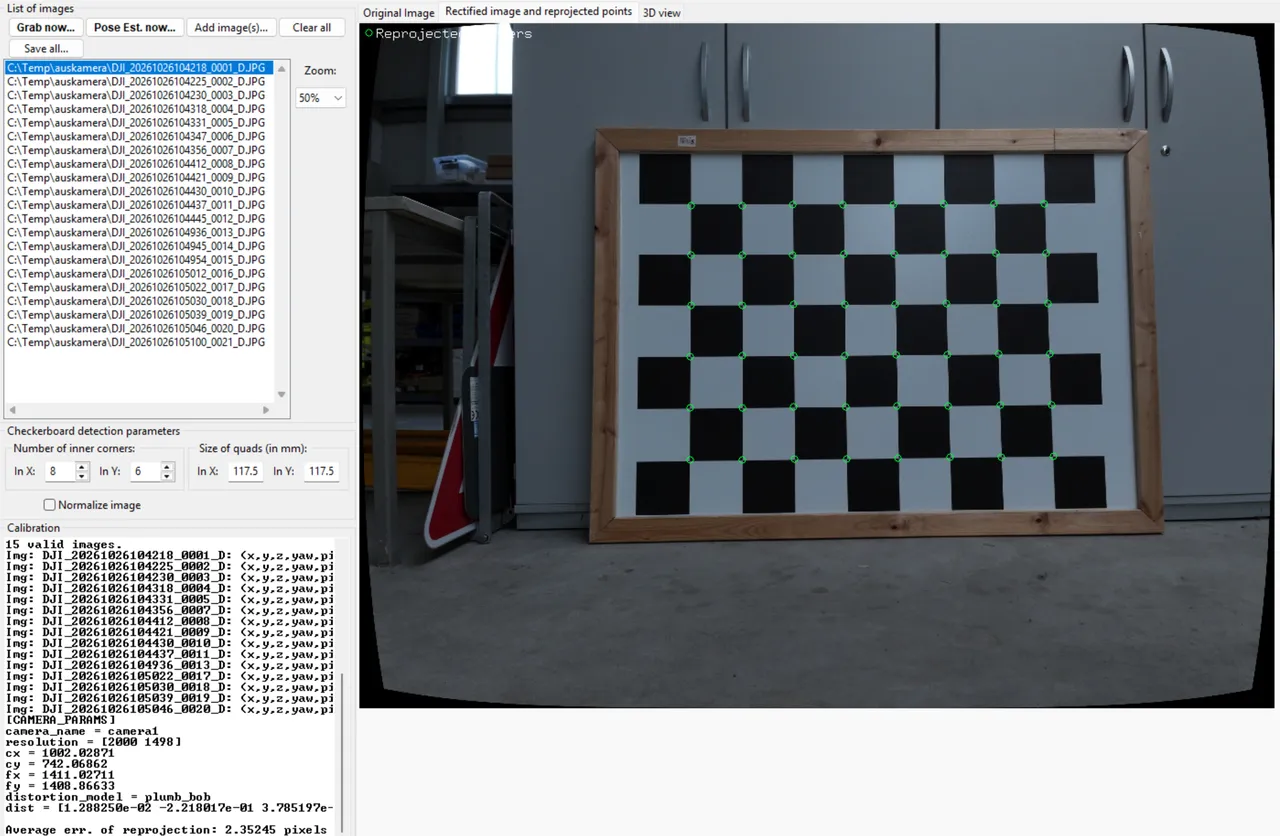
I've done some further research. I did some testing in a seperate calibration software with a checkerboard. 01 is the original jpg that comes out of the mavic 3 pro. when you apply the calculated camera parameters (wich are very similar in the calibration software and in WebODM), you get the result 02. you clearly see that a distortion is calculated back to the image. These images are used in the sfm and mvs stages, wich should explain my bowling effect.
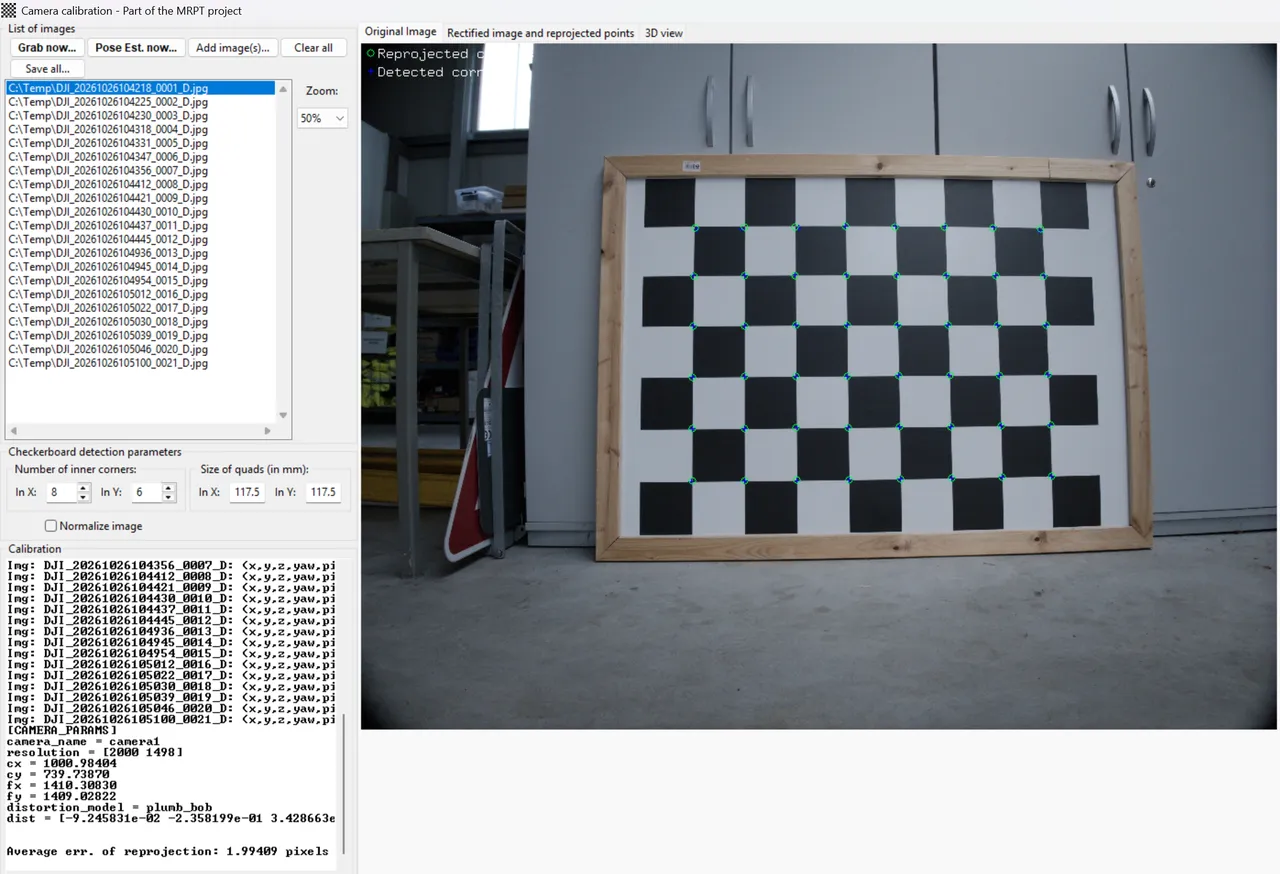
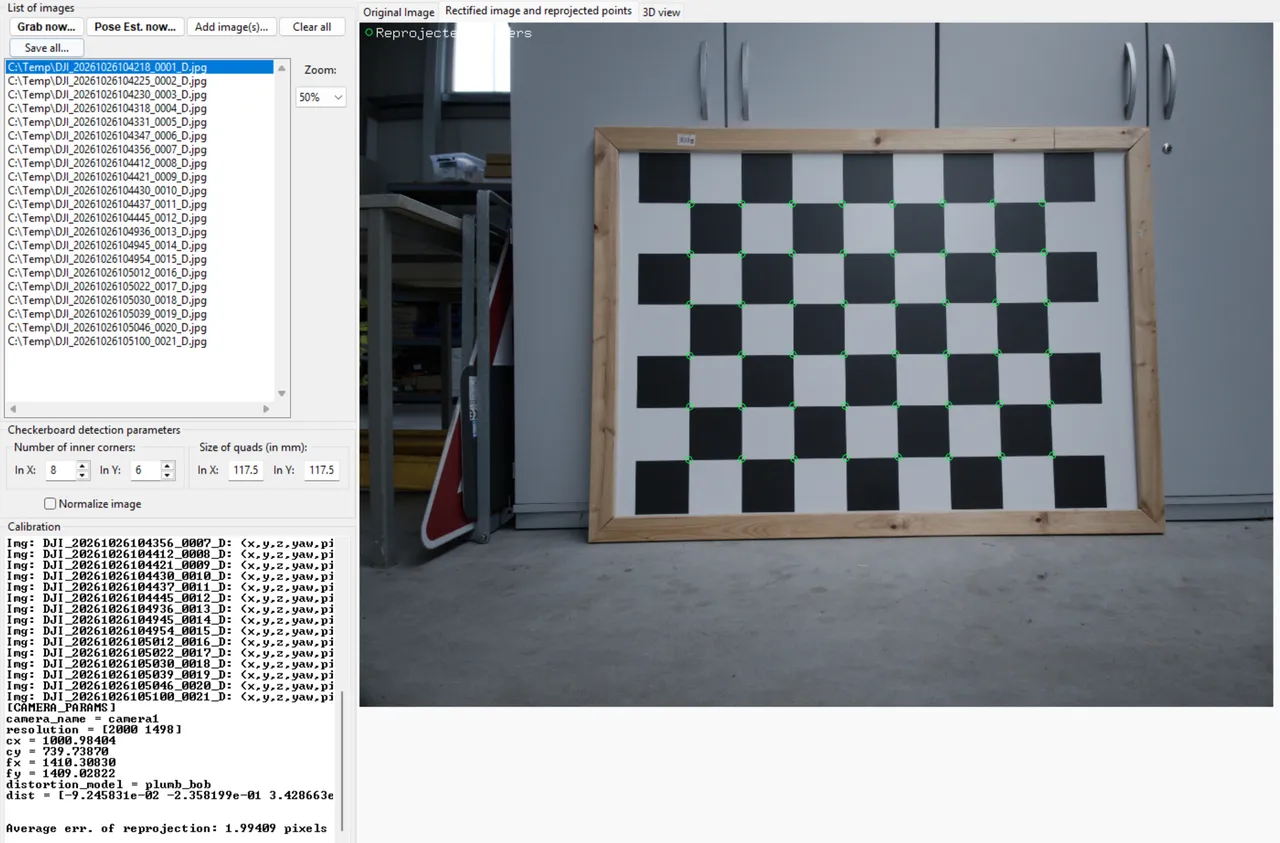
for 03 i used the raw dng-image, deleted the pre applied distortioncorrection and saved it back as a jpg. when the camera params are used on this image, its undistorted correctly.
my takeaway is: dont use the jpgs that come out of the drone, if the software does image corrections by itself.

GenAnon

This is helpful info to know. I wonder then if this is only M3 or would this apply to other DJI drones? Your workflow would be shoot with raw then export to jpg? Does that lose camera metadata?
When looking at images which is 01-04? On phone the attached shows as a grid.

sSeLeMaHs OP

Its from top left to bottom right.
I think it depends wich camera sensor you have. The Mavic 3E and other Enterprise Models with the Hasselblad camera have the opportunity to turn off the automatic undistortion, wich is highly advised for surveying purpurses.
We will have our next mission soon, wich will be shot in raw + jpg.
I will process it both ways and give feedback about the results

Need more help?

This discussion happened in the WebODM community Discord. Join and ask your own question.

Join View Original Thread

This page mirrors a public discussion from the WebODM Discord. How to request a removal.