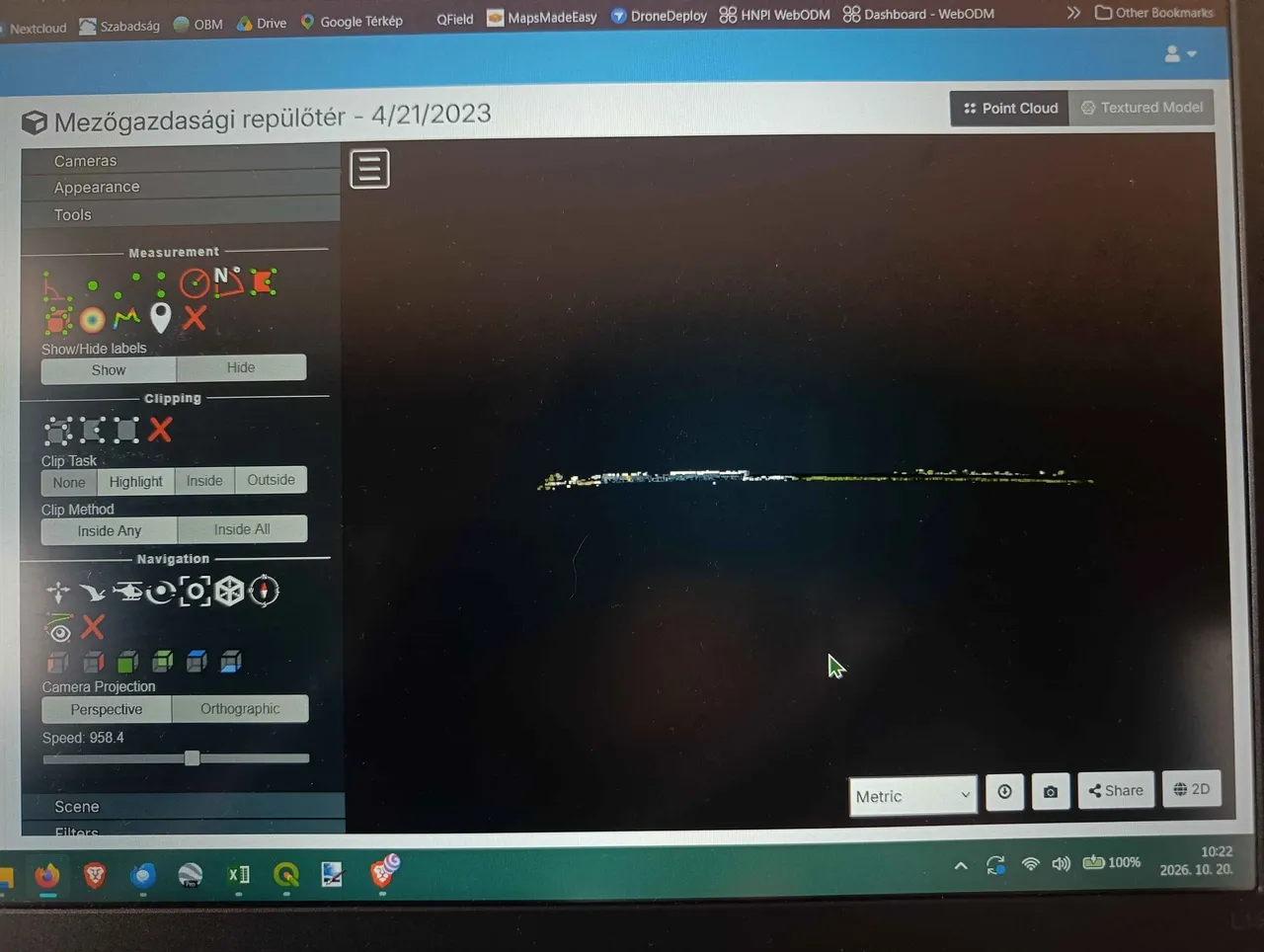
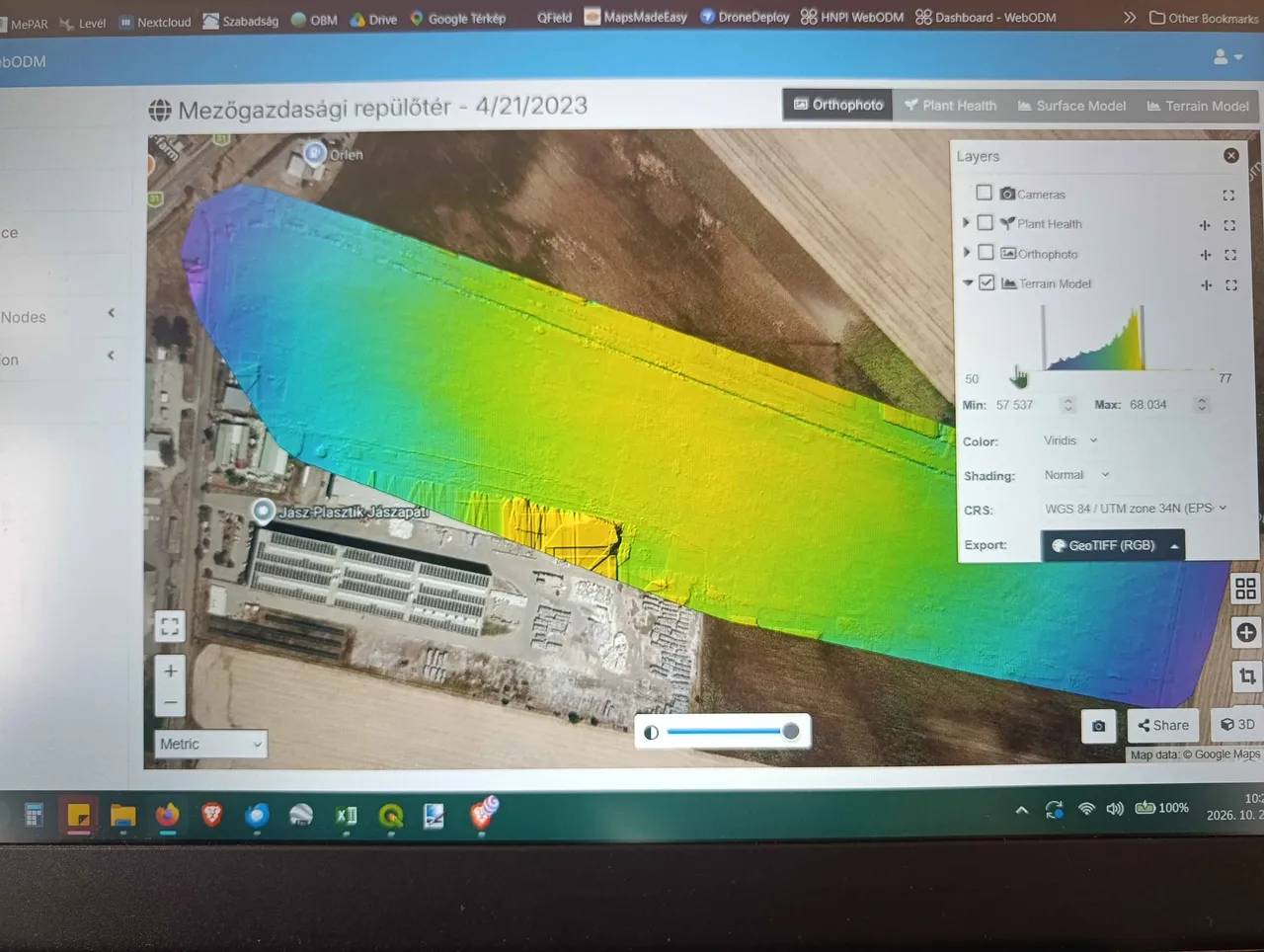
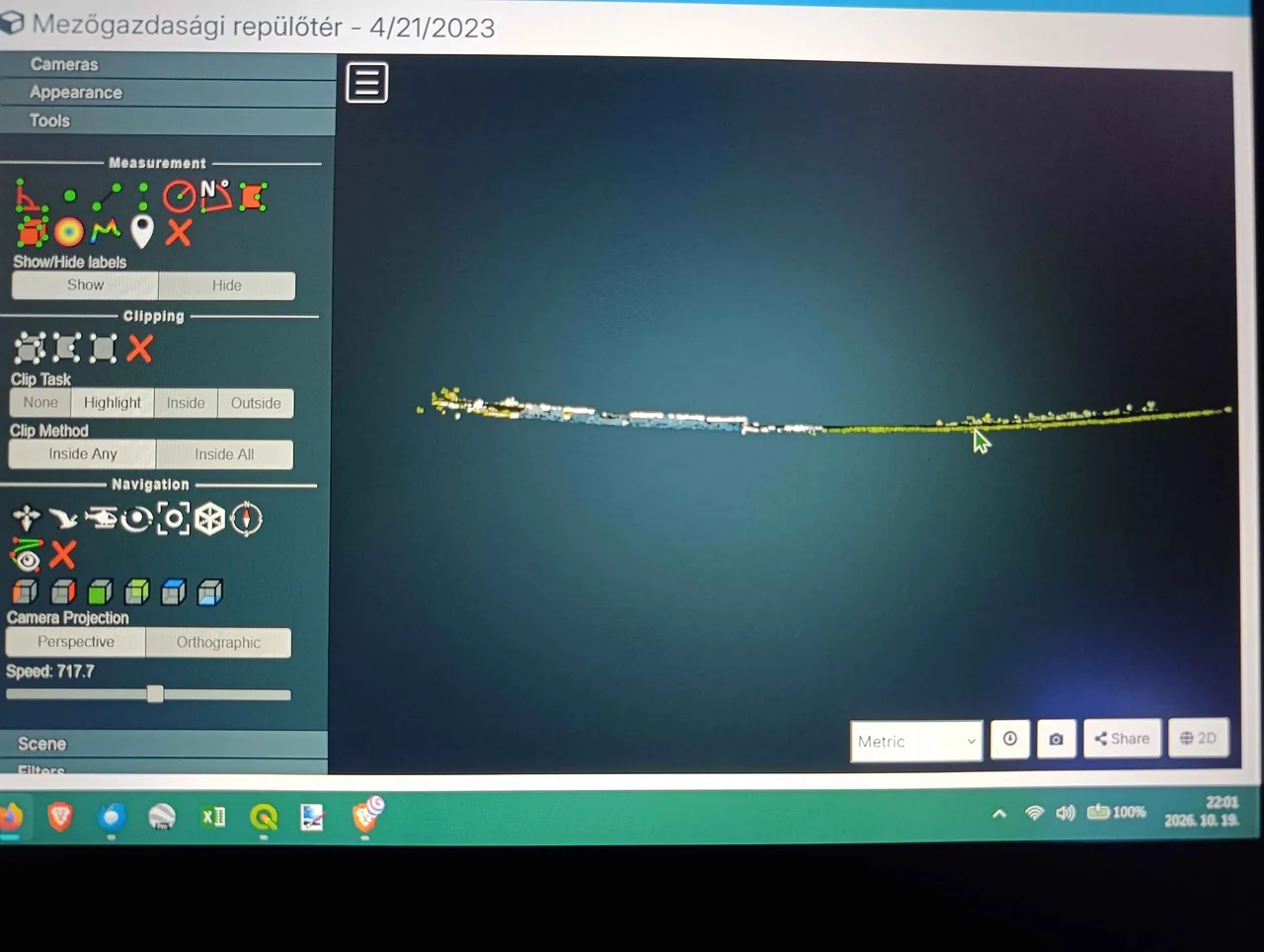
Doming effect on orthomosaic

zvaraG

Hi,

I have a DJI Mavic Pro 1. The orthomosaic TIF image has a doming effect, like a bowl. It should be flat. I've enabled use-fixed-camera-params,
enabled rolling-shutter, set the camere-lens to brown, but no success. How to solve the problem? Please help. Thanks! 🙂
10 Replies

pierotofy

Try with just rolling-shutter. Also look into using ground control points or improve the flight path to include multiple passes with the camera slightly tilted and at a different altitude.

zvaraG OP

Only with the rolling-shutter set, the model is bent slightly upwards now. Which is also incorrect.

zvaraG OP

GCPs would be the proposed solution, but first our company has to purchase an RTK gps. Thanks for the tip about the multiple passes. So a crosshatch and an oblique capture would improve the outcome.

❤️ 1
Lord Uma Das Best answer

I was to able to correct some sort of similar distortion with one pass in oblique

👍 2
Lord Uma Das

Later I can share the settings

Lord Uma Das

Using Litchi.

Lord Uma Das

Correct Distortion
Mapping Mode: 3D Model
Oblique Passes: 1
Nadir Passes: on
Altitude Mode: Above ground
Altitude: 50 meters (if cleared of obstacles)
Terrain Change Threshold: 1 meter
Oblique GSD: automatically calculated
Nadir GSD: automatically calculated
Capture Mode: Photo
Photo Capture Mode: Auto
Speed: 5 m/s (the slower, the better if not using a mechanical shutter)
Orientation: Personally, I prefer to go diagonal over the area
Entry point: auto
Surface height: 0 meter
Front Overlap: 80%
Side Overlap: 80%
Grid Margin: 0 meter
Path Mode: Smooth Curves
Heading Mode: Locked

Lord Uma Das

Yep 🙂

💛 1

Need more help?

This discussion happened in the WebODM community Discord. Join and ask your own question.

Join View Original Thread

This page mirrors a public discussion from the WebODM Discord. How to request a removal.