Unable to add images to project

Airwolf

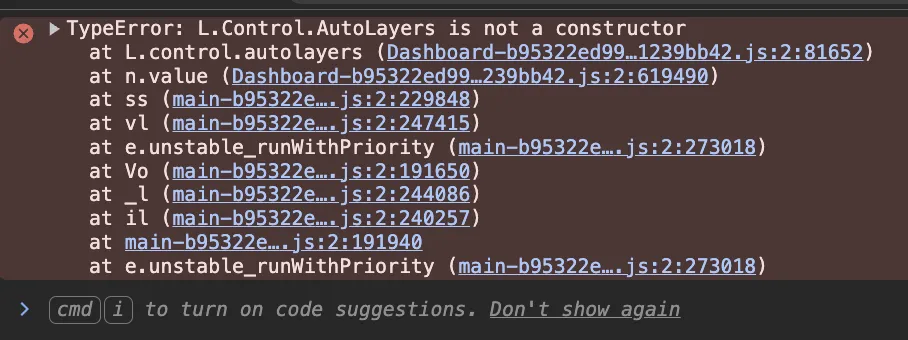
I just did a fresh install of WebODM on Docker/Linux . When I add images to a project, the dialog box to select the files opens and I select them as normal. Normally I'll then see the map with the image locations. However ... now in Firefox and Chrome on Windows, I see the map for a split second and then it goes to just a blank white background. I've tried turning off my content blockers, but no change.

10 Replies

pierotofy

does it work if you disable the Lightning plugin?

Airwolf OP

Let me check

pierotofy

Ok yeah, something broke, but it's not the lightning plugin

Airwolf OP

Bingo!

Airwolf OP

Thank you, got your BTW - good stuff!

pierotofy
👍 1
Airwolf OP

*your book

🎉 1
pierotofy

This is a strange one; I've reverted 3.2.4 on docker hub while I investigate, so running ./webodm.sh update should bring the software back in working state

Airwolf OP

Just updated and it's fixed for me, thank you

👍 1

Need more help?

This discussion happened in the WebODM community Discord. Join and ask your own question.

Join View Original Thread

This page mirrors a public discussion from the WebODM Discord. How to request a removal.