
Ok so I've purchased, downloaded and extracted the windows version, and can't workout where I go to next as double clicking on the opensplat application file in the extracted folder doesn't seem to do anything
Ok so I've purchased, downloaded and extracted the windows version, and can't workout where I go to next as double clicking on the opensplat application file in the extracted folder doesn't seem to do anything

For WebODM the "simple" process is to drag & drop the training.zip file directly on top of opensplat.exe. It will use the default settings to generate a .ply file. For all options, you'll need to use the Command Prompt since it's a command line application.
OP
Right I created some training data and tried to to run it using the the command that you show on the Github page and this is what I get
Mm, that looks like a possible bug; what NVIDIA card do you have?
OP
I've got a 5070Ti
OP
If you want training data, or I can help any way then just let me know, and I'll see what I can do once home from work
Best answer
No need; it seems a problem with pytorch not shipping with the necessary code for the 5070Ti which is a newer card. I will upload an updated build shortly that fixes this
New build is uploaded (you can use the same link you used to download the previous version). Try it out and see if it works? 🙏
OP
This was just using 2000 iterations and then edited to get rid of outliers etc in spirula studio
 OP
After the success of the above I tried using the default 30000 iterations, and setting the output destination using the following command opensplat.exe C:\WebODMExports\Solomons2.zip -o C:\WebODMExports\Solomons, once it had run I got this message Failed to write C:\WebODMExports\Solomons, aborting save. any help much appreciated
Perhaps the file was in open or in use? Try restarting the computer.
OP
Yeah I'll give it another go, it ran alright straight afterwards without the destination set
OP
And yet again it fails Failed to write C:\WebODMExports\Splats\Solomons, aborting save. am I doing something wrong, this what i had as the command opensplat.exe C:\WebODMExports\Solomons2.zip -o C:\WebODMExports\Splats\Solomons
is Solomons a folder? the -o parameter should be a filename (e.g. C:\WebODMExports\Splats\output.ply)
OP
right thats what i'm doing wrong i think, yes solomons is a folder so using your example I should say use C:\WebODMExports\Splats\Solomons.ply
OP
Works a treat, cheers as ever for the help
Glad I could help, enjoy!
OP
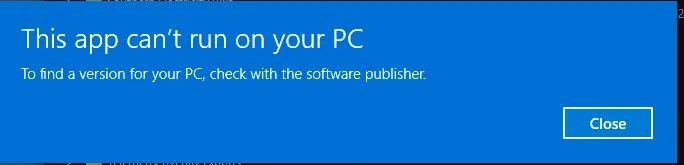
Started getting this
 OP
Had these come up before the blue one
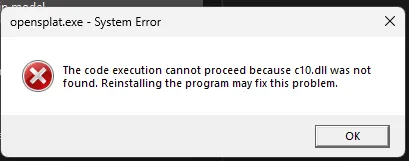
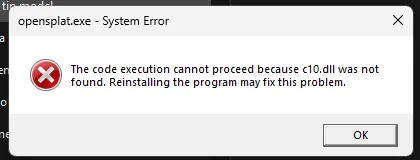
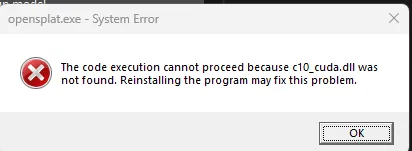
if it was working before, did something change?
OP
No, that's what I can't understand, just before I came to work I reinstalled it, and will try when I get home, and let you know how it goes
OP
Ok so I got it to run tonight, however on the first attempt I got these 3 system error messages
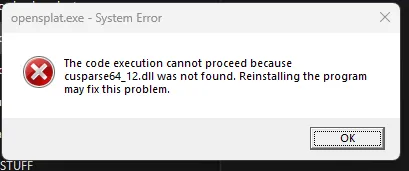 OP
That was followed by this one
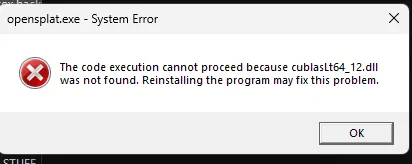 OP
and then finally this one
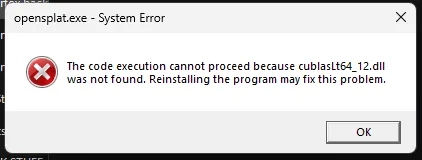 OP
After which I copy and pasted the command, and all ran as it should
This discussion happened in the WebODM community Discord. Join and ask your own question.
Join View Original ThreadThis page mirrors a public discussion from the WebODM Discord. How to request a removal.