CSFR error

Putz6x

HI having an issue with our installation and getthing this. I have tried editing the allowed ips as suggested in other forums but still no luck.

Forbidden (403)
CSRF verification failed. Request aborted.
More information is available with DEBUG=True.


38 Replies

pierotofy

Can you share more details about your setup and what command you used to start WebODM?

Putz6x OP

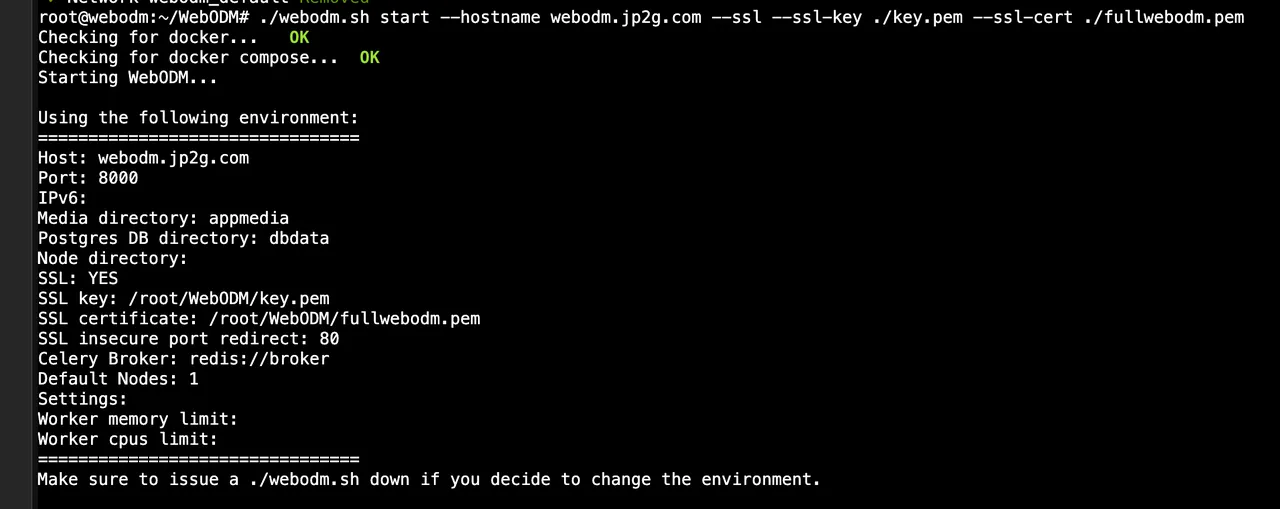
Webodm running on a docker container. I have tried the simple ./webodm.sh start but typically we use. ./webodm.sh --default-nodes 1 start --ssl --hostname xxxx.xxxx.com --ssl-key ./key.pem --ssl-cert ./full.pem

pierotofy

Mm, strange; did you make any changes to WebODM's code or is this a vanilla WebODM?

Putz6x OP

I've made no changes. I did a total rebuild last night, and today I can access it over HTTP after clearing cookies. As soon as I enable SSL, the error comes back. Tried clearing cookies again, but it does not work unless I change back to HTTP.

Putz6x OP

yes

pierotofy

does it work if you access it from an Incognito browser tab?

Putz6x OP

no same result

pierotofy

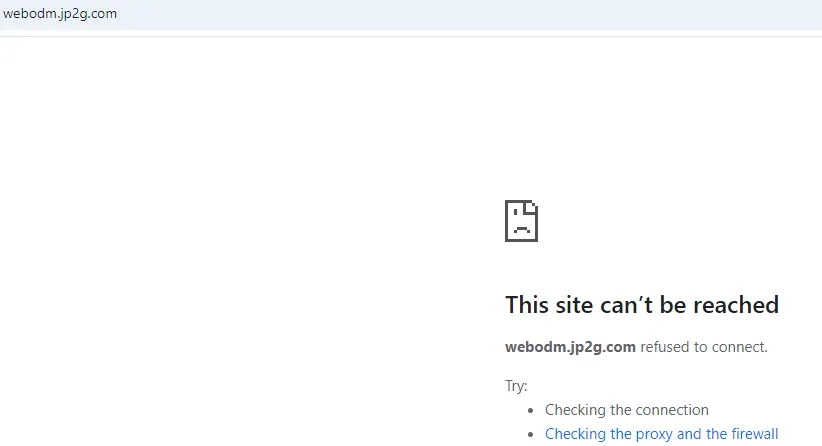
can you share the actual URL ?

Putz6x OP

I can trun on SSL again if you would like?

👍 1
Putz6x OP

turn

Putz6x OP

one sec

Putz6x OP
Putz6x OP

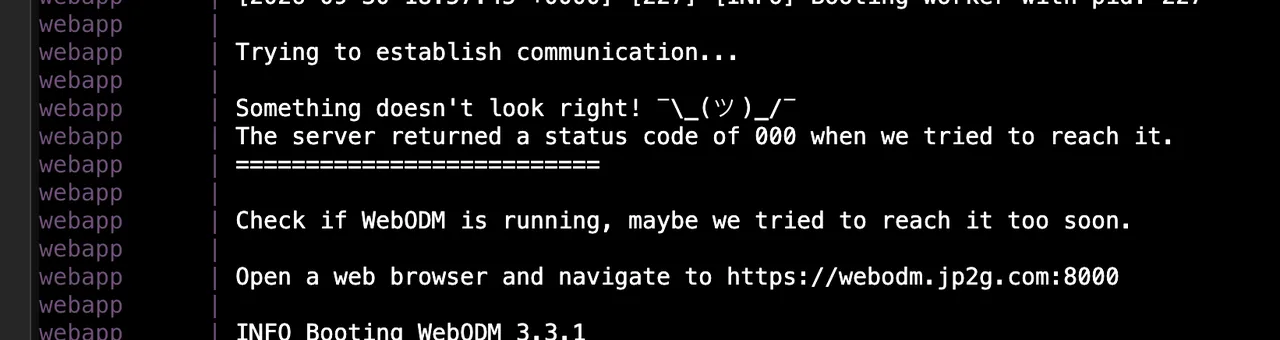
I see this on the docker screen also

Putz6x OP

it is

Putz6x OP

so drop the 8000?

pierotofy
Putz6x OP

so you would like me to use the --port attribute and set it to 443?

pierotofy

no need; when --ssl is enabled, it defaults to 443

pierotofy

so don't specify a port (omit --port)

Putz6x OP

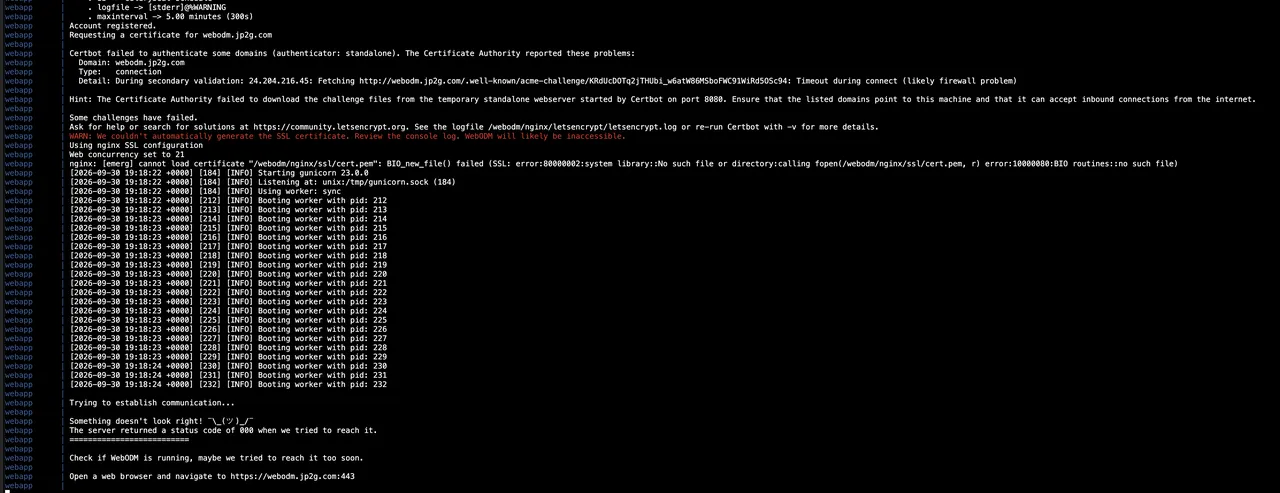
ok but why do I see this?

Putz6x OP
Putz6x OP

here's another snip after running the command I use

Putz6x OP
pierotofy

port 8000 is used internally (inside docker), but should map to 443 --> 8000 once everything is running. Open port 443, it should work then.

Putz6x OP

Ok I can confirm 443 is open…

pierotofy

Other things to try; let letsencrypt generate the SSL certificate instead of providing your own key/pem (drop --ssl-cert and -ssl-key). If it loads then, it's an issue with the certificate

pierotofy

If that still doesn't work, I'm out of ideas

Putz6x OP

k thank you

Putz6x OP
Putz6x OP

got this

Putz6x OP

it did change to 443 though

Putz6x OP

but not accessible

GenAnon

Wonder if 8443 would open. Stab at 8080 typical non windows servers and 8443 the ssl flavor.
WebODM at the front might pass to and through 8000

Putz6x OP

ok I think I got it to work. I messed around trying to get Let's Encrypt to work, and it does not play well with FortiGate firewalls. Beat my head a bunch more times. I ended up adding the --port 443 in my command line to start WebODM as a long shot, but it WORKED!! Thank you, guys, for your help!

👍 1

Need more help?

This discussion happened in the WebODM community Discord. Join and ask your own question.

Join View Original Thread

This page mirrors a public discussion from the WebODM Discord. How to request a removal.