RTX 4050 GPU Not Being Used During WebODM Processing

murilo

Hello,

I am from Brazil and I am new to using WebODM. I would like to know how I can improve the processing performance by taking full advantage of my NVIDIA RTX GPU.

My computer specifications are:

  • Acer Nitro notebook
  • AMD Ryzen 7 processor
  • NVIDIA GeForce RTX 4050 Laptop GPU (6 GB VRAM)
  • 16 GB RAM

Currently, the processing seems to rely mainly on the CPU, and I am not sure if the RTX 4050 is being fully utilized.

Could you please advise me on:

  • How to configure WebODM to use the RTX 4050 more effectively?
  • Which processing steps can benefit from GPU acceleration?
  • Whether there are recommended settings or additional software (CUDA, drivers, Docker configuration, etc.) to maximize performance with my hardware?

Any recommendations for optimizing processing speed on this configuration would be greatly appreciated.

Thank you very much for your support.
6 Replies

murilo OP

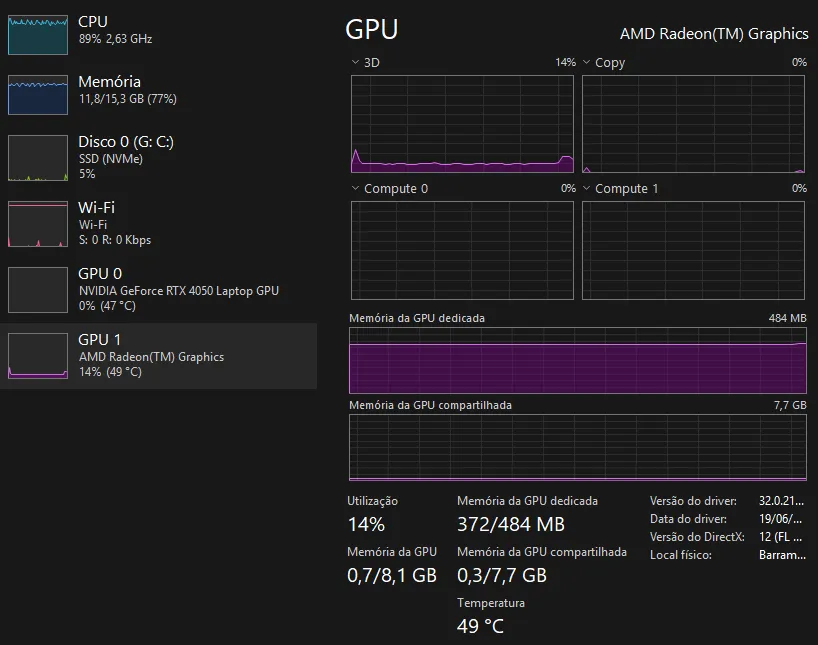
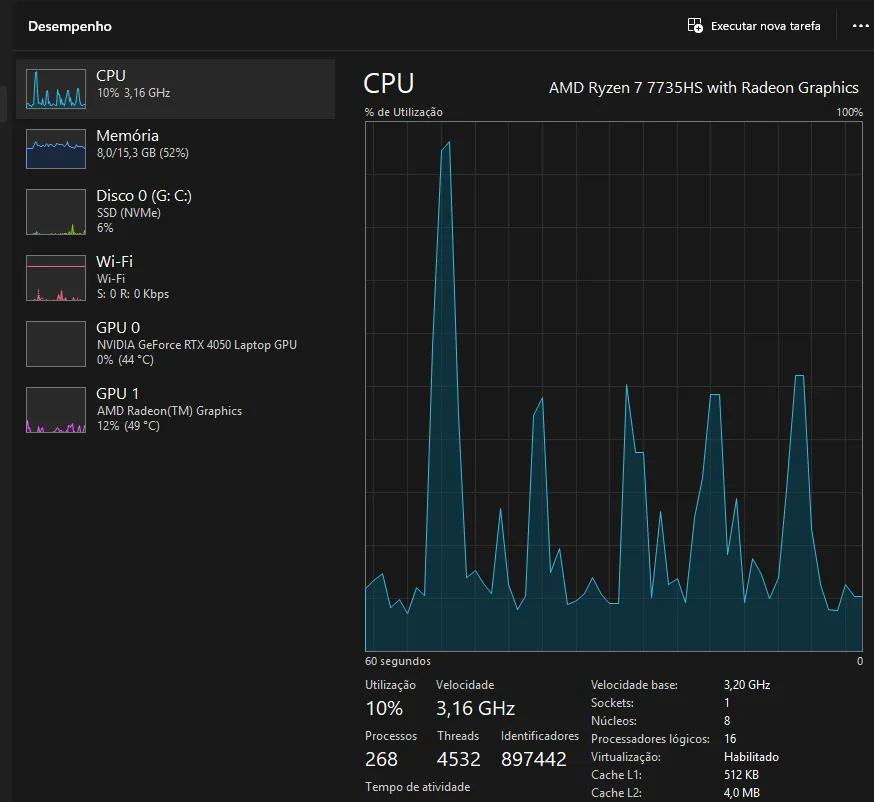
Okay. However, based on usage, I think webodm is directing the work to the integrated graphics card.

murilo OP

Webodm is using the integrated graphics card instead of the dedicated one.

murilo OP

@pierotofy

Bob98 Best answer

I am seeing the same thing - my intel GPU shows activity during the task but the NVIDIA gpu shows no activity.
The log entries indicate CUDA drivers are detected. What does the --cuda-device-1 do on the command line? Does this enable or disable the GPU?

[INFO] CUDA drivers detected
[INFO] running "D:\WebODM\resources\app\apps\ODX\SuperBuild\install\bin\OpenMVS\DensifyPointCloud" "D:\WebODM\resources\app\apps\NodeODX\data\f6abe8e3-07bc-40d1-bd3a-7790fb389a37\opensfm\undistorted\openmvs\scene.mvs" --resolution-level 2 --dense-config-file "D:\WebODM\resources\app\apps\NodeODX\data\f6abe8e3-07bc-40d1-bd3a-7790fb389a37\opensfm\undistorted\openmvs\Densify.ini" --max-resolution 5280 --min-resolution 640 --max-threads 20 --number-views-fuse 2 --sub-resolution-levels 2 --archive-type 3 -w "D:\WebODM\resources\app\apps\NodeODX\data\f6abe8e3-07bc-40d1-bd3a-7790fb389a37\opensfm\undistorted\openmvs\depthmaps" -v 0 --cuda-device -1
[INFO] running "D:\WebODM\resources\app\apps\ODX\SuperBuild\install\bin\OpenMVS\DensifyPointCloud" --filter-point-cloud -20 -i "D:\WebODM\resources\app\apps\NodeODX\data\f6abe8e3-07bc-40d1-bd3a-7790fb389a37\opensfm\undistorted\openmvs\scene_dense.mvs" -v 0 --cuda-device -1

With the recent developments in the Windows installer I was under the impression the Windows installation path is the best for a Dell laptop - 64GB RAM and the NVIDIA gpu. There is a lot of old and seemingly conflicting information so asking - what is the best approach for installing WebODM and getting the most out of the system resources?
[I

👍 1
pierotofy

If you want the best performance, install Linux and run WebODM with ./webodm.sh start --gpu

Need more help?

This discussion happened in the WebODM community Discord. Join and ask your own question.

Join View Original Thread

This page mirrors a public discussion from the WebODM Discord. How to request a removal.